A Chrome extension for faster reading

Read faster.
Keep your place.

Guided Word Anchors is built to help you build reading speed. It bolds the first part of each word so your eyes can move from anchor to anchor, and its paced auto-scroll lets you practice at a words-per-minute target you can raise as you improve.

  • Paced WPM practice
  • No accounts
  • No trackers or ads
An open book on a wooden table beside a cup of tea and a small reading lamp

Turn the page

See it on a real paragraph

These are the same settings you’ll find in the extension popup. Adjust them and notice how quickly your eyes can move through the passage.

Chapter One

How Birds Find Their Way

Every autumn, millions of birds leave their summer homes and travel thousands of miles to warmer places. Many of them make the journey alone, at night, without ever having flown the route before.

One answer is the sun. Birds can sense the position of the sun in the sky and adjust for the time of day using an internal clock. On clear nights, many songbirds use the stars instead, learning the pattern of stars that rotate around the North Star while they are still young.

— 1 —

40%
How much of each longer word is anchored.

What’s inside

Three tools for faster, steadier reading

I.

Guided reading anchors

A bold beginning on each word gives your eyes somewhere to land, so you can move along the line faster without losing your place.

  • Adjustable anchor ratio for longer words
  • Separate weights for regular and already-bold text, so emphasis stays visible
  • Turn anchors off everywhere, on one website or on one page with a single click
  • Keeps each page’s own text color on light and dark pages
  • Applied in small batches, so large pages keep loading normally
A reading page with bold anchors beside the Guided Word Anchors popup showing the anchor ratio and weight settings
II.

Optional text colors

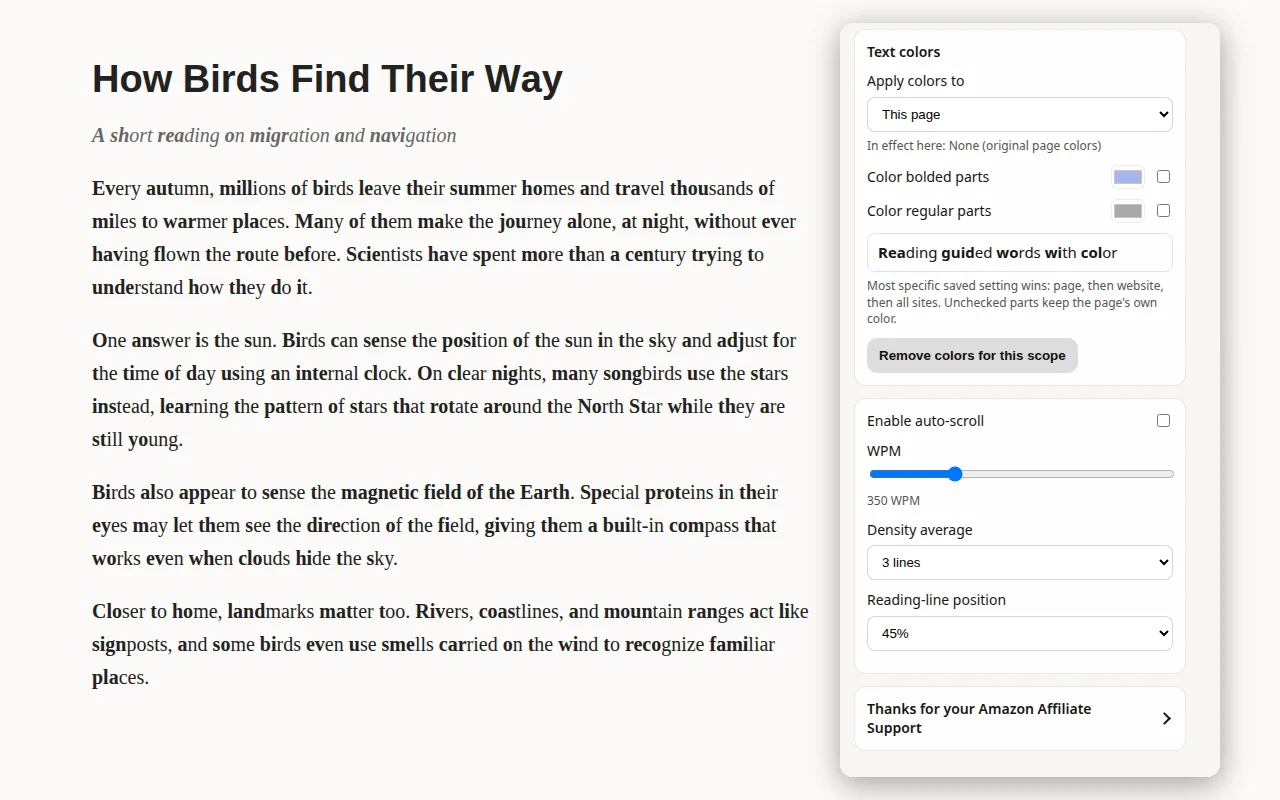
Color the anchored parts, the regular parts or both. A live preview shows your choice before you use it.

  • Save colors for one page, one website or all sites
  • The most specific setting wins: page, then website, then all sites
  • Unchecked parts keep the page’s original color
The popup's text color and auto-scroll settings next to an anchored reading page
III.

Paced auto-scroll for speed practice

Set a words-per-minute target and the page moves at that pace, adjusted for how dense the text is. Start where reading feels comfortable, then raise the pace a little at a time as you get faster.

  • Anywhere from 40 to 1,200 words per minute
  • Adjusts to text density over 1, 3, 5 or 7 lines
  • Choose where your reading line sits on the screen
  • Space pauses or resumes, Esc stops, and scrolling yourself pauses it
Reading pace350WPM

A note on privacy

Your reading stays on your shelf

Guided Word Anchors doesn’t send your data anywhere. Page text is processed only in your browser, and your settings live in Chrome’s own extension storage.

Read the full privacy policy →

  • Processed locally

    Text is restyled right on the page you’re reading. It’s never stored or sent.

  • No analytics, trackers or ads

    No accounts, no remote code and nothing quietly watching what you read.

  • Optional, honest support

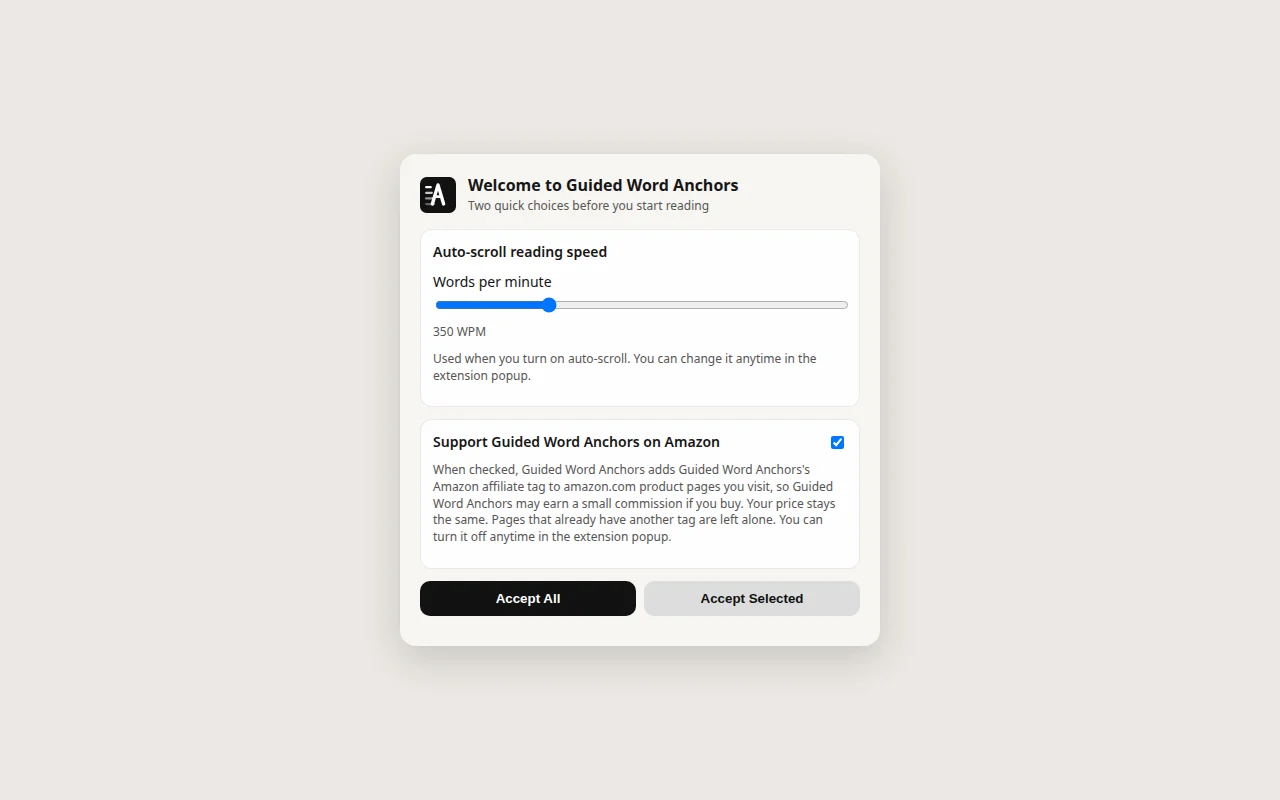
    On the welcome screen you can choose to support the developer. If you accept, amazon.com product pages get the developer’s Amazon Associates tag. It’s used at most once a day, never two days in a row and no more than three days a week. It never replaces another tag, and you can turn it off anytime in the popup.

Getting started

Ready in a minute

  1. 1

    Add it to Chrome

    Install Guided Word Anchors from the Chrome Web Store.

  2. 2

    Make two quick choices

    A short welcome screen asks for your auto-scroll speed and whether you’d like to support the developer.

  3. 3

    Read, then pick up the pace

    Anchors appear on every page. Turn on auto-scroll from the toolbar popup and raise your WPM as reading gets easier.

The Guided Word Anchors welcome screen with the auto-scroll speed and Amazon support choices